skip to main |
skip to sidebar
 My client likes to make a little fun of me from time to time. Often he suggests putting some flamingos on a small island in the lake, but usually it centers around the fact that I grew up in New Jersey. Tonight I embraced my New Jersey history -- we went to see Bruce Springsteen and the E Street Band tonight.
It is pretty amazing to see that many people singing and dancing and that happy all at one time. They played Born to Run with the lights on -- very, very cool. I couldn't help but think how long it would take for that many people to enjoy playing Wolf Point. It could take one hundred years. I think it just might.
My ears are still ringing, but I did walk out of the concert singing Oohhhhoohoho Thunder Road.
 The views near the 12th tee (above) are more and more stunning each visit. The golf course looked like waves reflecting the setting sun.HAPPY MASTERS
 The most dictating green on the course is the second. The second fairway is also one of the widest on the course. Depending on hole location the ideal approach shot should be hit from either the right or left edge of the fairway. So the hole can dictate a 75 yard difference in the optimum approach spot. I pitched a bunch of balls to the green from the middle of the fairway just about 60 yards out - it was definate proof of the holes strategy. Here is an older picture - thankfully now committed to the archives.
 The Live Oaks are blooming and the greens are thumping when hit with approach shots.
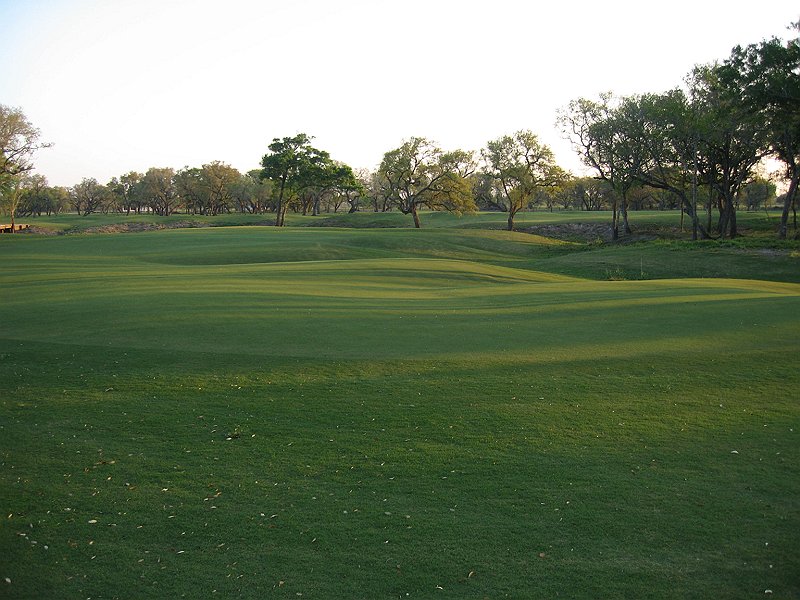 The par three 15th hole has always been one of my favorites - I've never seen a green like it before. It was a natural site protected by a drainage swale that can be seen in the above picture. The following image is to give scale to the contours IN the green. The previous posts on 15 can be found here and here.
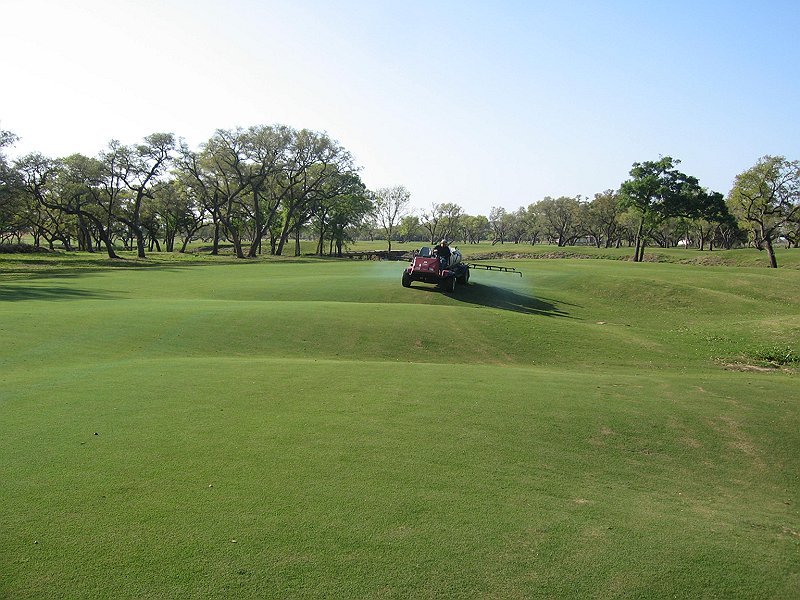
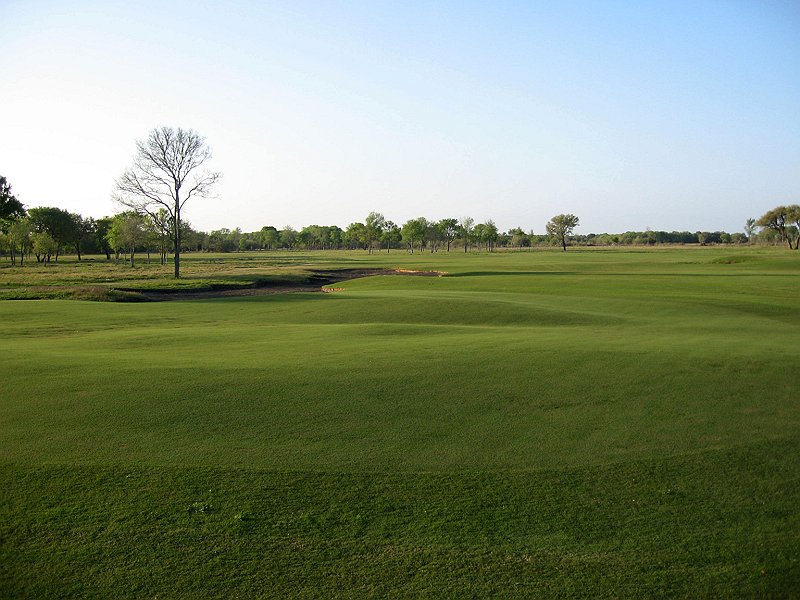 My 2nd favorite picture from earlier this week is above. It is of the 7th green looking back towards the tee. Here were the previous posts on the "once bottle hole" here and here. I've also updated the hole description link to the right, and will be doing so eventually with all the holes.
Why do I love this picture? The green shaping looks very unusual to me. There is a hump in front with a trough through the middle that drains water to the players left - which makes if far more receptive from the far left side of the fairway. It is a shortish par 4 down wind so the long player can challenge the bunker to try and get very close too - but it would be all carry over native grasses.
The grass being as dense as it is looks beautiful too. One can see the walk mower lines. In this image I see a huge milestone to the project and our efforts.
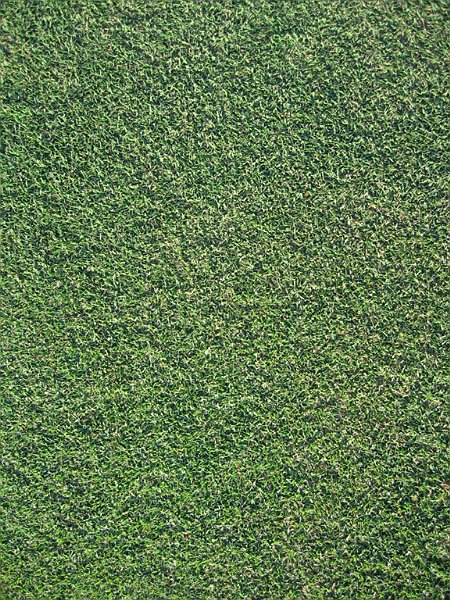 The greens are getting dense. The title is the answer to this previous entry.

The above image is of Mike Strantz drawing a perspective view of a golf hole - prior to construction. He used them to convey his intent to clients and the builder - often himself.The following is a table that didn't make the print version of "Golf Design Tools: PAD vs. CAD." the intent is to highlight some method differences.Some advantages of using CADMassive ability to reiterate - possible to create hundreds of routings
Ability to view and print at any scale
Volumetric and area computation ability
Organization and layers
No document scale i.e. one metre is equal to one metre
Limitless document space or size
Slope and drainage analysis
Programmable to repeat complex tasks like creating a scorecard or BOM
Communication and file sharing
Ease of importing into other documents
Fast renderings but look computerish
Input devices - mouse or large digitizer
Some advantages of using PAD
Familiarity - lots and lots of experience with well rehearsed rituals
The architect the client hired can do the design
Inexpensive tools – paper, pencil, scale and eraser
Ability to turn and angle the paper most comfortably
No upgrades ever
Don’t have to know what a node or handle are – no computer babble
Valuable originals like the recently unearthed copy of Colt’s Pine Valley plan
Beautiful renderings
Planimeter allows for area calculations
Digital cameras can capture work
Can work without electricity
Colors are true WYSIWYG with extensive ranges of values
Some advantages of using illustration software
Ability to draw freehand digitally in vector format
Grab and nudge a layer, sub-layer or group of items
Beautiful and economical renderings easily editable and scaleable
Routing directly on a digital aerial photograph
Computed properties and calculated BOM
Automatic tracing of scanned images
Associative symbols – especially for irrigation
Dragable scales and digital templates
Draw on tablet or directly on a special monitor or tablet pc
File is automatically set up with preferences – borders – textures – scales - colors
Ability to e-mail, import into other documents, export for the web
Adding effects like randomness or shadows
Filling features like bunkers and greens with artistic textures
Work entirely in a single file without breaking associativity
No marker lines, unless you want them
Programmable and plug-ins
No smudges or spills
Extensive knowledge base of users, training and support
Almost anyone can draw using the program and tablet
 My client likes to make a little fun of me from time to time. Often he suggests putting some flamingos on a small island in the lake, but usually it centers around the fact that I grew up in New Jersey. Tonight I embraced my New Jersey history -- we went to see Bruce Springsteen and the E Street Band tonight.